Shut down and unplug
Turn off the PC, switch the power supply off and unplug the power cable. Let the system cool before opening the case.
 CRC Computer Builds
CRC CARE GUIDE
Simple, practical advice to help keep your PC clean, cool and running at its best. These are the same basic habits CRC recommends for regular care.
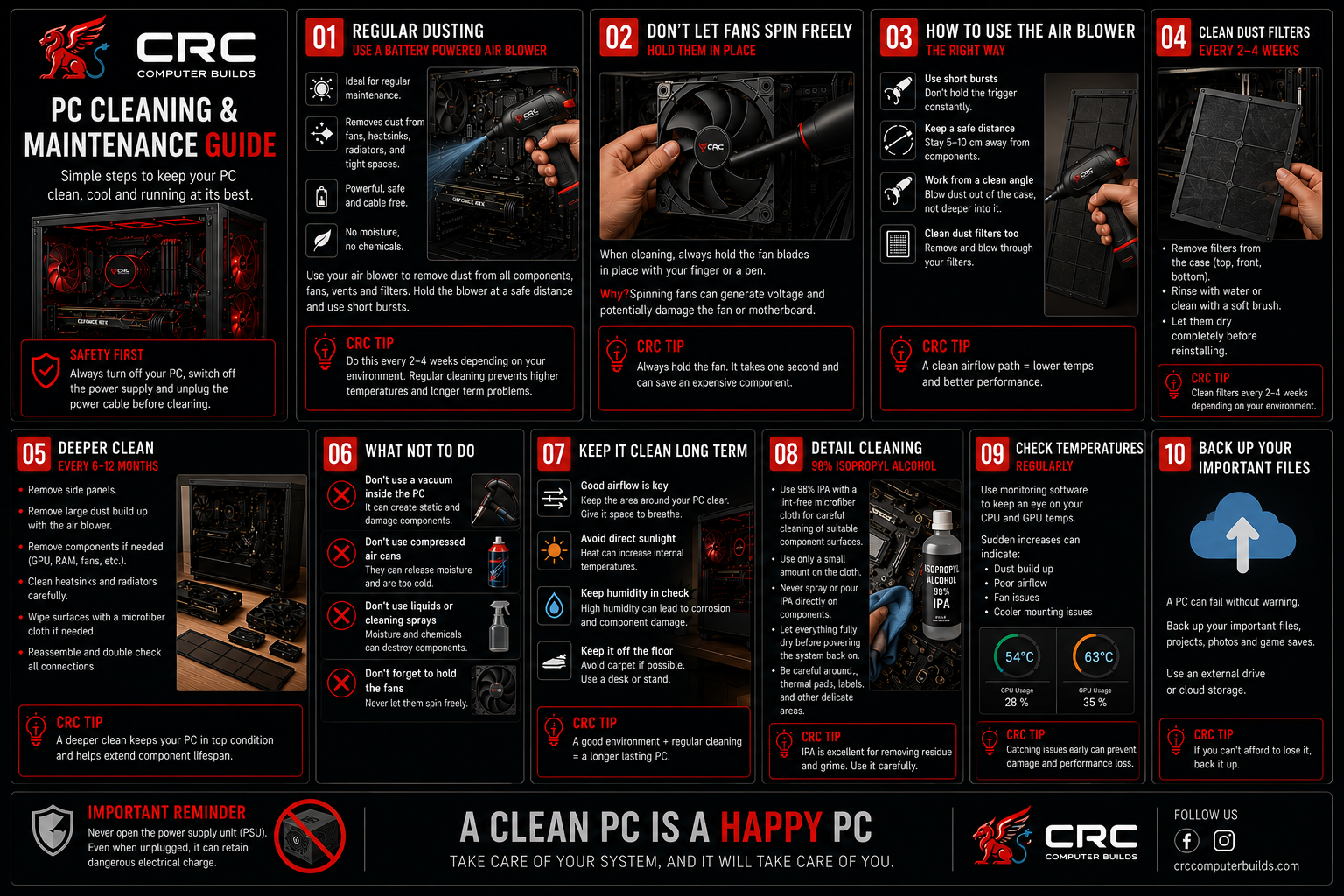
CRC PRACTICAL GUIDE
Turn off the PC, switch the power supply off and unplug the power cable. Let the system cool before opening the case.
Remove the side panel and check where dust has built up. Do not remove components unless a deeper clean is needed.
Use your battery-powered air blower in short bursts and direct dust out of the case.
Gently hold fan blades in place. Do not let fans spin freely from the airflow.
Remove dust filters and clean them separately. Clean vents, radiators and heatsinks, and let washed filters dry completely.
Use a clean lint-free cloth with a small amount of 98% isopropyl alcohol on suitable surfaces. Never spray liquid directly onto components.
Make sure everything is dry, reinstall filters and panels, and check cables and connections.
Check temperatures and fan behaviour after cleaning. Investigate sudden temperature increases.
Use a battery-powered air blower to remove loose dust from fans, heatsinks, radiators, vents and filters. Short bursts work best.
Do not let fans spin freely while cleaning. Hold the blades in place gently before using the air blower.
Remove and clean dust filters regularly. A quick clean every 2–4 weeks helps maintain good airflow.
Every 6–12 months, remove larger dust build-up and carefully clean accessible heatsinks, radiators and surfaces. Reassemble and double-check connections.
For suitable component surfaces, use a small amount of 98% IPA on a clean, lint-free cloth. Never spray or pour liquid directly onto components, and allow everything to dry fully before powering on.
Keep the PC off the floor where possible, give it space to breathe, avoid direct sunlight and excessive humidity, and check temperatures or fan noise if performance changes.
CRC can help with PC cleaning, maintenance and service.